Brand Builder Release 2026.11.04
Pick several project files and download them together, hear about new test fits and uploads as they happen, and get Revit models with a signed agreement.
1Select and download several files at once New
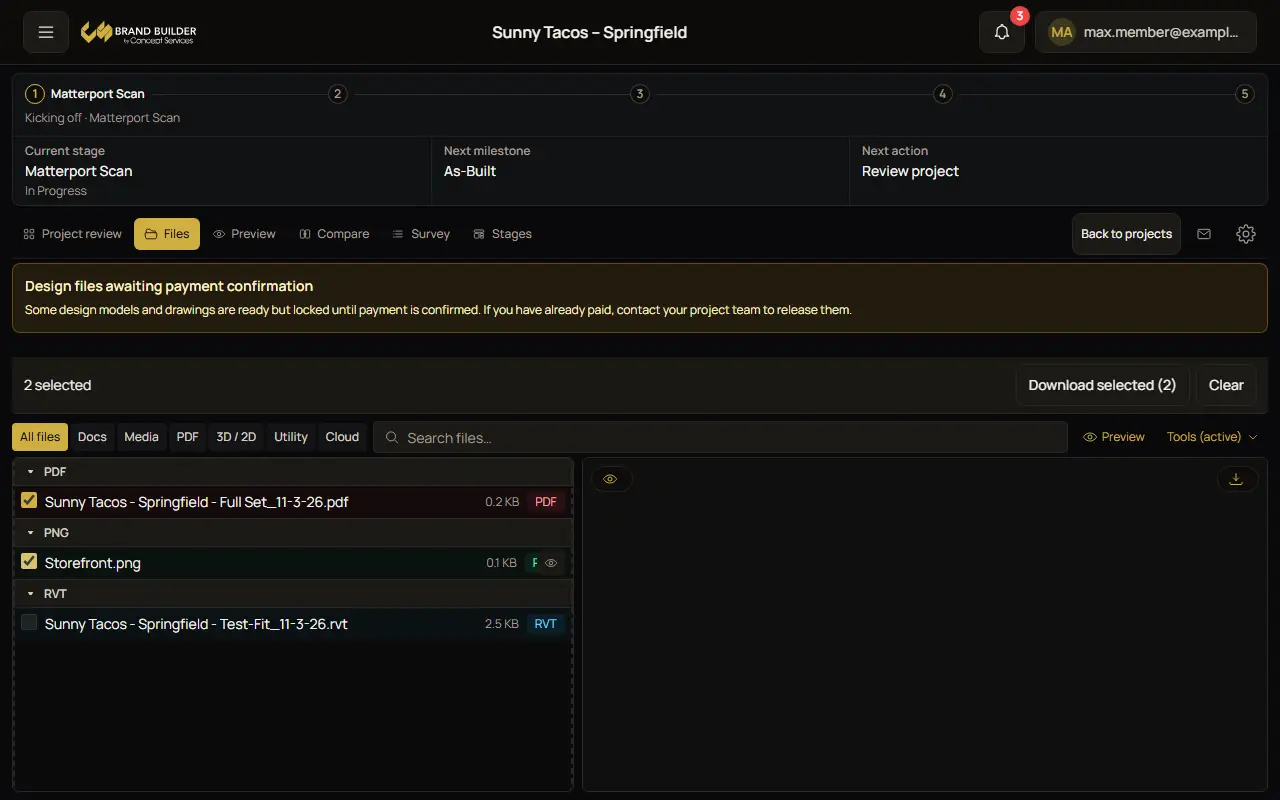
Everyone on a project can now tick files in the list and download them together. Select all, Download selected and Clear sit above the list. Deleting, renaming and moving files stay with project managers.
2Hear about what happens on your projects New
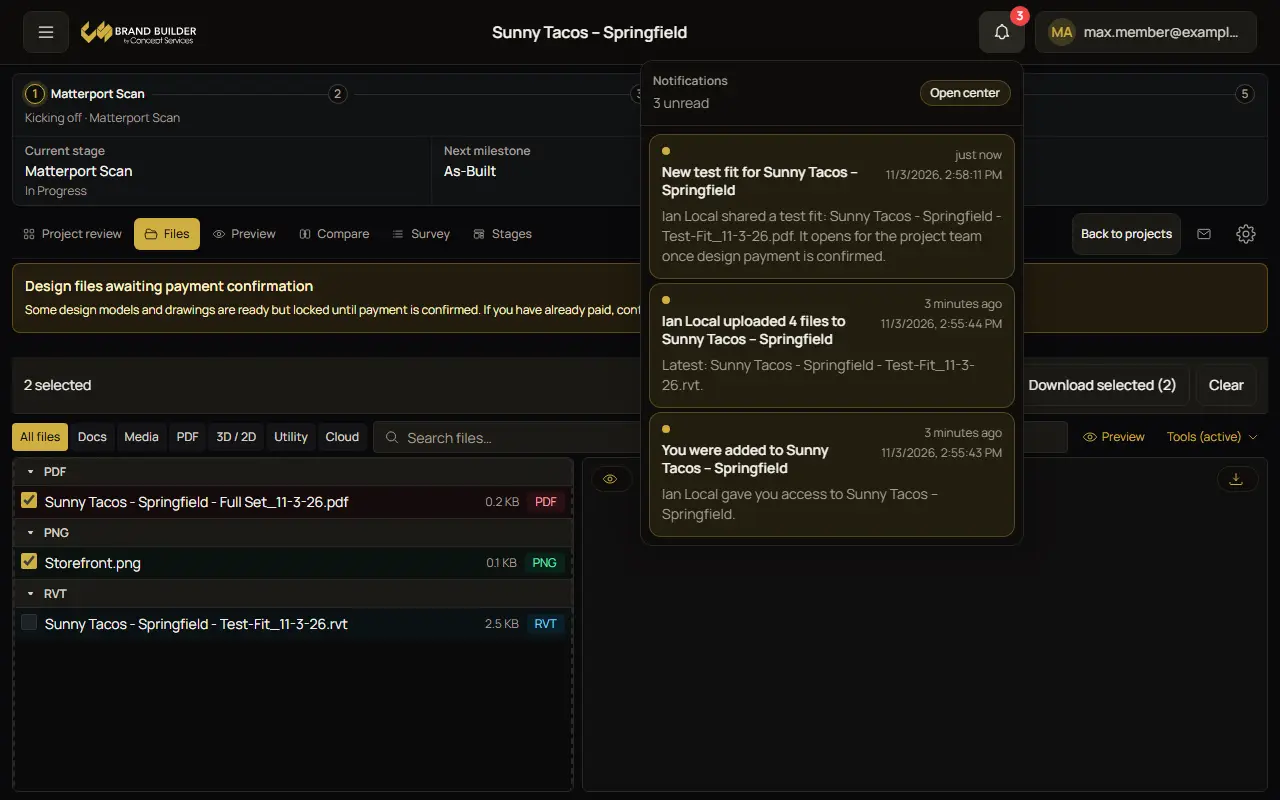
Notifications now arrive when something happens: a new test fit, files uploaded, being added to a project, or a project becoming ready or delivered. A batch of uploads is one notice instead of one per file, and you no longer get a notice for adding yourself.
3Revit models for project architects New
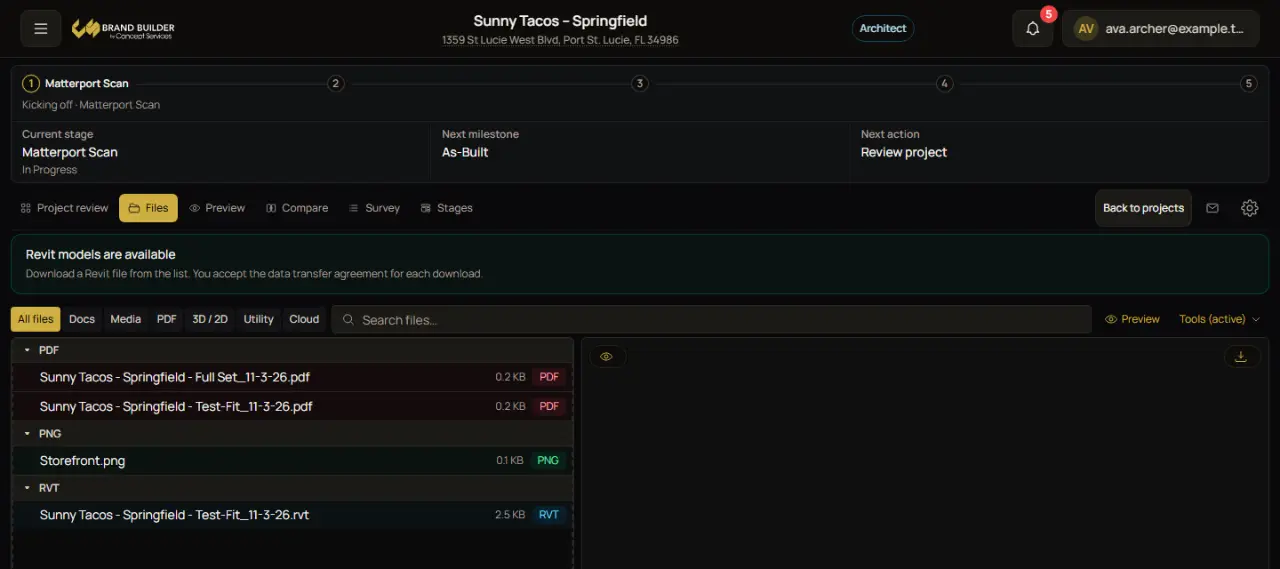
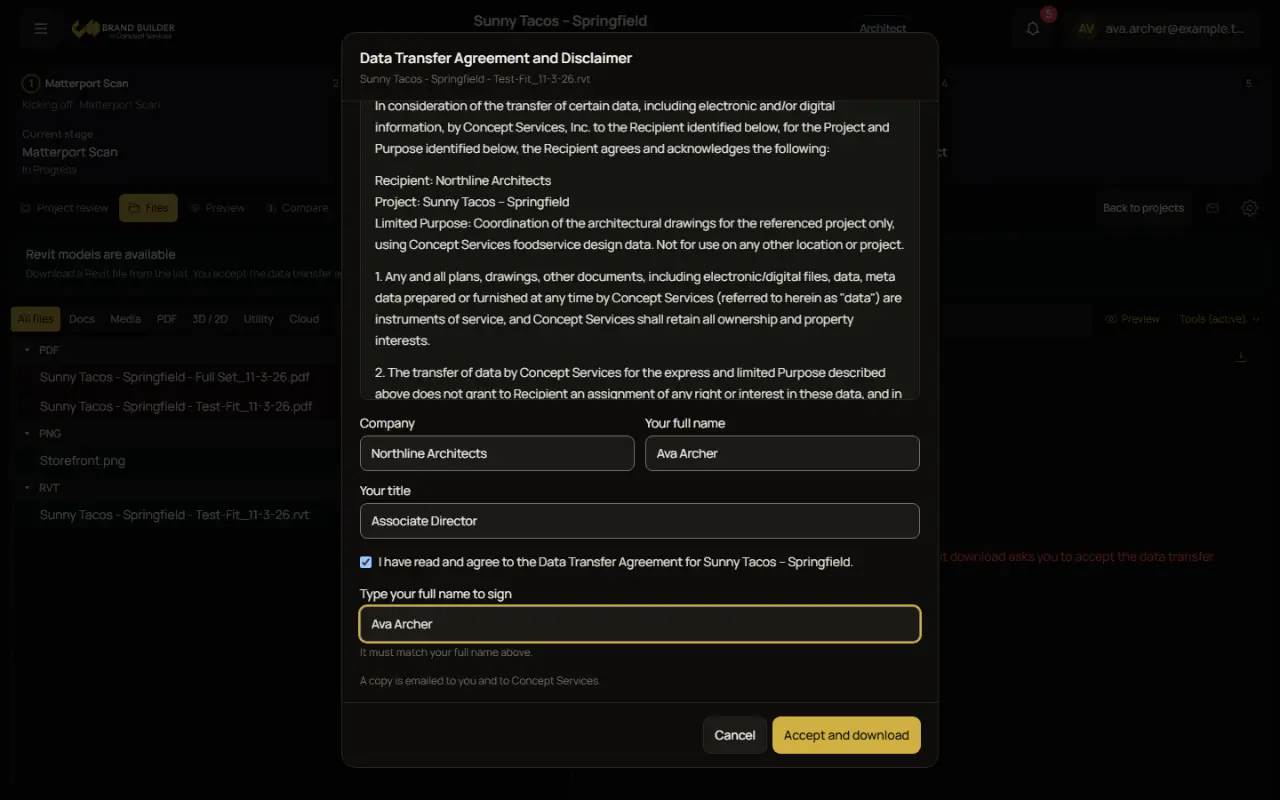
When Concept Services releases Revit models for your project, the Files page says so. Download a Revit file and the Data Transfer Agreement and Disclaimer opens with your firm and the project filled in. Enter your title, tick the box and type your name to sign; the download starts and a signed copy is emailed to you.
4Emails that respect your settings Fixed
Project status emails follow your notification settings and no longer copy the sender. Notification emails include a one-click unsubscribe link; security messages always arrive.
Also in this update
- Revit models stay protected on every download path, including previews and partial downloads.
- Test fit notices say when a file opens only after design payment is confirmed.