Streamlined project workspaces, inline file actions, and simpler planning
Manage project files directly from the row, move between views and locations in fewer clicks, stream large drawing packages without waiting on the browser, and plan new locations without legacy subscription caps.
1Act on project files directly from the list New
Hover or focus any file row to open a full preview, download, upload a new version, rename, move to a folder, check version history, or move a file to trash with a 10-second Undo option. Multi-file ZIP packages up to 512 MB now stream straight from the server instead of compressing in your browser tab.
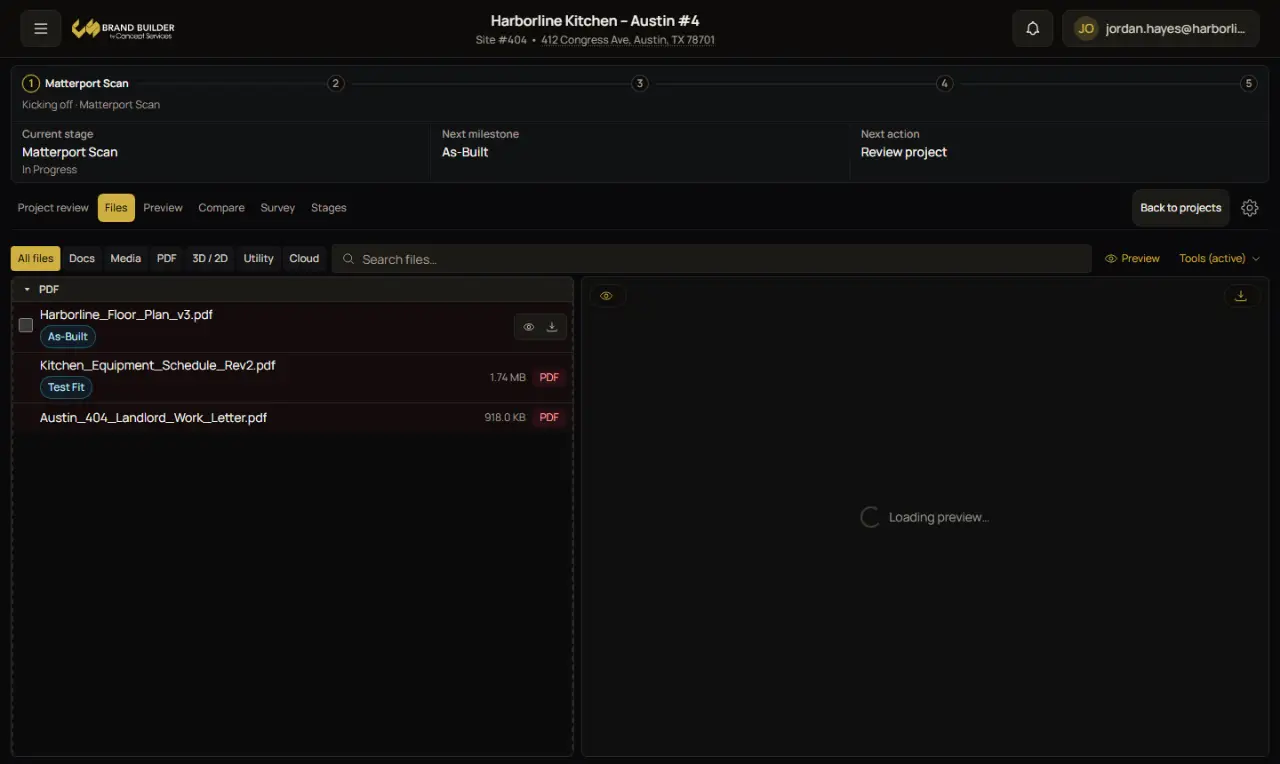
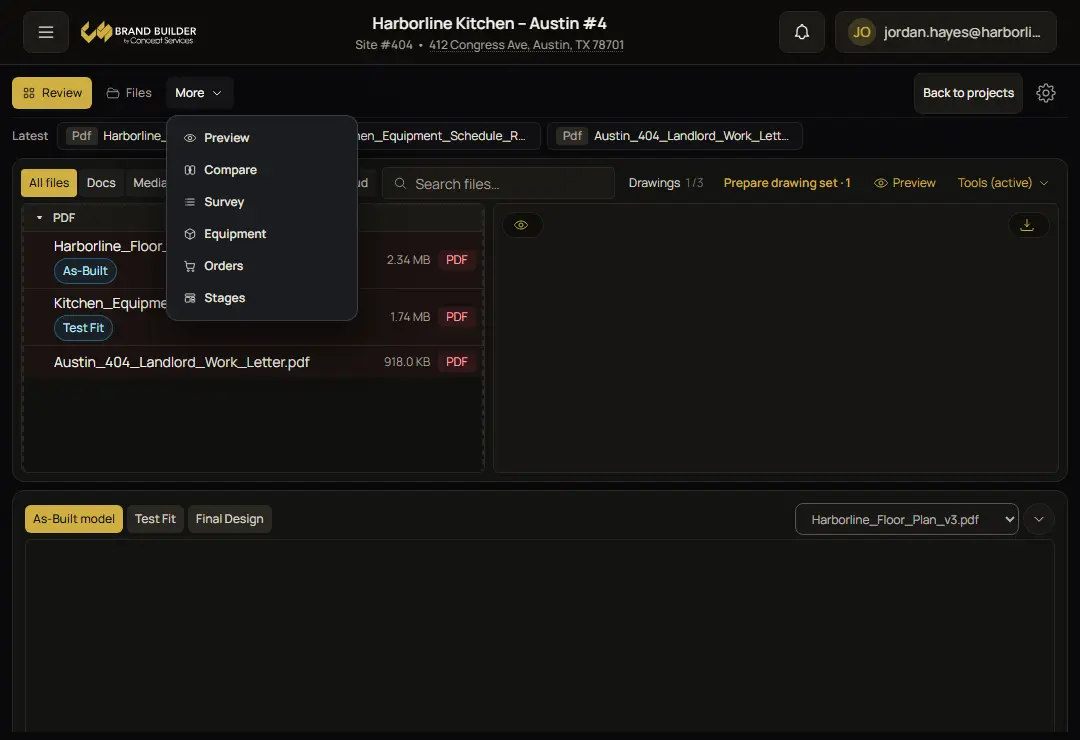
2Switch project views and locations in fewer clicks New
Desktop workspaces keep every project tab on a single clean row, while narrower laptop and tablet screens keep primary tabs one click away with remaining views grouped under More. Press Ctrl+K (or Cmd+K) inside any project to jump straight to recent or starred locations while keeping your active tab.
3Background uploads that keep going while you work New
Uploading drawings or photos no longer locks you into the Files tab. Switch freely to Preview, Compare, Survey, Equipment, or Stages while uploads finish in the background, or drop files directly onto a category chip to place them in that section.
4Plan locations without legacy subscription caps Fixed
Legacy subscription limits no longer block creating new projects or requesting introductions. Your workspace and project role permissions continue to govern access.
5Clearer notifications and smoother document reading New
Updated notification preferences are now live for every account, and clicking a file notification opens the matching preview directly while marking the notice read. PDFs load pages incrementally with automatic recovery if a viewer worker stalls, and Work Letter uploads check size (10 MB) and page count (40 pages) up front.
Also in this update
- Invite project collaborators with their role chosen up front, and update member roles directly in the team list.
- Sign-in, invite acceptance, password reset, and account setup preserve your destination link and prefill known email addresses.
- Opening-plan summaries appear in project views once an opening date, owner, or next step has been set.
- Matching drawing files uploaded within the same project can reuse an existing 3D preview.